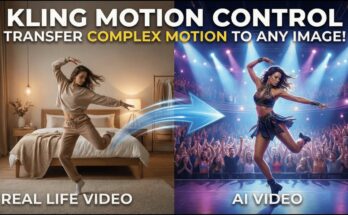
📈 Why AI Video Editing is Trending in 2025
AI video editing isn’t just a trend—it’s a creative revolution. Here’s why:
-
🔥 Speed: What used to take hours now takes minutes.
-
🎨 Creativity: Add effects, transitions, and edits you never imagined.
-
🎯 Accessibility: No editing background needed—just your ideas.
-
📱 Platform Optimization: Tools like CapCut and Runway auto-adjust for TikTok, Instagram, and YouTube Shorts.
-
🌍 Viral Formats: AI tools help recreate trending formats instantly—like AI eye zoom, face morphs, or animated lyric videos.
🧠 What is AI Video Editing?
AI video editing uses artificial intelligence to help you:
-
Automatically cut, trim, and sequence video clips
-
Add trending effects like zoom, glitch, motion blur, and slow-mo
-
Sync visuals with audio, beats, or speech
-
Animate images into moving videos
-
Replace backgrounds or faces
-
Generate visuals from text prompts
-
Automatically create subtitles and translations
It replaces the need for manual editing with smart algorithms and automation.
🎯 Types of AI Trending Videos You Can Make
AI is behind virtually every viral trend in 2025. Here are the most popular video types:
| Video Type | Description |
|---|---|
| 🎬 AI Face Swaps | Swap faces with celebrities or characters |
| 📸 Photo Animation | Turn photos into talking videos |
| 🎤 Podcast Clips | Use AI avatars to host mini podcast episodes |
| 👁️ AI Eye Zoom | Dramatic zoom into the pupil to reveal scenes |
| 🚀 Earth Zoom | AI-powered zoom from outer space to personal moments |
| 💥 Explosion VFX | Add cinematic explosion effects using CapCut AI |
| 🐶 Animal Transformation | Turn yourself into an AI pet or anime creature |
| 👶 AI Baby Filter Videos | Create animated baby versions of yourself |
| 🧠 Text-to-Video Prompts | Generate entire videos from descriptions |
🛠️ Essential Tools to Make AI Trending Videos
Let’s explore the top tools available in 2025 that make AI video editing easy:
1. CapCut (Desktop & Mobile)
-
Best for: Reels, Shorts, trending effects, templates
-
Key Features:
-
Auto-captions
-
AI background remover
-
Prebuilt trending templates
-
Facial recognition and zoom effects
-
AI-enhanced transitions
-
2. Pika Labs
-
Best for: Generative AI video from text
-
Key Features:
-
Text-to-video creation
-
Stylized prompts like “cyberpunk baby dancing”
-
Animation of images or characters
-
3. Runway ML
-
Best for: Advanced AI editing, removing objects, face replacement
-
Key Features:
-
Text-to-video (Gen-2)
-
AI cutout (green screen without green screen)
-
Motion brush and inpainting
-
4. Kaiber AI
-
Best for: Music videos and transformations
-
Key Features:
-
Turn photos into animated videos
-
Sync visuals with audio tracks
-
Style transfer options
-
5. HeyGen & D-ID
-
Best for: Talking avatars, podcast clips, AI characters
-
Key Features:
-
Create realistic AI avatars
-
Lip-sync with your voice or AI voice
-
Use photos to animate people or objects
-
6. ElevenLabs & Voicemod
-
Best for: AI voiceovers and voice cloning
-
Key Features:
-
High-quality voice cloning
-
Voice modulation for comedy or character effects
-
🎬 Step-by-Step Guide: How to Make a Trending AI Video
Here’s the exact workflow most successful AI creators follow:
🔹 Step 1: Choose Your Trend or Idea
Start by browsing TikTok, YouTube Shorts, or Instagram Reels for inspiration. Ask:
-
What’s going viral right now?
-
Is it a specific audio? A visual trend? A transition?
-
Can I add a unique spin?
Example trends:
-
“Zoom into my eye to show my dream life”
-
“My AI pet turning human”
-
“If I were a Marvel character”
🔹 Step 2: Write a Script or Concept Prompt
Your idea should include:
-
🧾 A short caption or voiceover script
-
📜 A concept for visuals (“a dreamy anime world” or “me walking through a portal”)
If you’re using AI to generate the video, write a prompt like:
“A baby astronaut dancing on Mars with a glowing helmet, cinematic lighting, trending TikTok style”
🔹 Step 3: Use AI to Generate or Edit Visuals
3 Options:
🖼️ A. Generate Video from Text (Pika Labs, Runway)
-
Input your creative prompt
-
Choose style (anime, cinematic, 3D, glitch)
-
Render the video
🎭 B. Use AI Templates (CapCut)
-
Go to the “Templates” tab
-
Choose effects like:
-
Eye Zoom
-
Face Glow
-
Cartoon Me
-
Explosion Transition
-
Earth Zoom
-
-
Add your clip or image
-
Auto-sync with trending audio
🖼️ C. Animate a Photo (Kaiber, HeyGen)
-
Upload your selfie or image
-
Apply movement or lip-sync
-
Choose camera motion like pan, zoom, shake
🔹 Step 4: Add Voice or Sound Effects
Tools to try:
-
Voicemod for baby, robot, or character voices
-
ElevenLabs for natural narration
-
CapCut audio library for background music
-
TikTok trending sounds
Tips:
-
Match the beat or mood of the trend
-
Add surprise sound effects for engagement (pop, gasp, echo)
🔹 Step 5: Edit with Captions, Stickers & Visual Hooks
CapCut Editing Tips:
-
Add auto-captions with bold or colored text
-
Use cutaways, zooms, or bounce transitions
-
Add filters for mood (dreamy, cyberpunk, vintage)
-
Insert emojis or stickers to emphasize key moments
🔹 Step 6: Export in the Right Format
Use these settings for viral success:
-
Aspect Ratio: 9:16 (portrait)
-
Resolution: 1080×1920 or 4K
-
Frame Rate: 30–60 FPS
-
File Format: MP4 or MOV
📊 Best Platforms for AI Trending Video Posting
Post your videos on these platforms with proper optimization:
| Platform | Strategy |
|---|---|
| TikTok | Use trending hashtags + short 15s-60s cuts |
| YouTube Shorts | Longer storytelling edits (30s–90s) |
| Instagram Reels | Use trending audio + remix features |
| Facebook Reels | Great for viral baby/animal edits |
| Snapchat Spotlight | High engagement for younger audience |
🧲 SEO Tips for Ranking Your AI Edits
Use these SEO tactics when publishing:
✅ Hashtags
-
#AIVideoEditing
-
#CapCutTemplate
-
#PikaLabs
-
#TrendingEffects
-
#AIReels2025
✅ Captions
Include hooks like:
-
“You won’t believe how this AI baby talks…”
-
“Watch what happens when I zoom into my eye 👁️”
-
“CapCut’s new Earth Zoom template is 🔥”
✅ Titles
Use keyword-rich titles like:
-
“How I Made a Viral AI Eye Zoom Video”
-
“CapCut Trending Effects Compilation 2025”
-
“My AI Talking Avatar Podcast Episode #1”
💰 How to Monetize Your AI Video Edits
Once you master AI editing, here’s how to profit:
1. Sell Video Edits
-
Offer services on Fiverr or Upwork
-
Niche ideas: Birthday reels, AI explainer shorts, music videos
2. Create a Personal Brand
-
Start a series (e.g., AI Baby Rants, AI Fashion Models, AI Reaction Clips)
-
Monetize through YouTube Partner Program or TikTok Creator Fund
3. Affiliate Products
-
Promote tools like CapCut Pro, ElevenLabs, or Kaiber AI
-
Earn through referrals
4. Digital Downloads
-
Sell templates, overlays, or presets for CapCut or After Effects
⚠️ Common Mistakes to Avoid
-
❌ Overusing Effects
-
Keep the focus on story, not just flashy visuals.
-
-
❌ Ignoring Sound Sync
-
AI visuals must match audio for maximum impact.
-
-
❌ Wrong Format
-
Always post in 9:16 for mobile viewing.
-
-
❌ No Caption or Hook
-
Add on-screen text that hooks the viewer in first 3 seconds.
-
-
❌ Skipping Trends
-
Even great edits flop without trend alignment.
-
🔮 Future of AI Video Editing in 2025 and Beyond
We’re just getting started. Expect:
-
Full-length movies made by AI from prompts
-
Real-time AI video rendering during livestreams
-
Interactive videos where viewers choose the outcome
-
Personalized video ads generated in seconds
-
Hyper-realistic avatars for daily content creation
📌 Conclusion: Start Editing Smarter, Not Harder
AI has completely transformed the world of video editing, making anyone a creator, whether you’re a tech novice or seasoned editor. By combining smart AI tools, creative storytelling, and social media trends, you can make eye-catching, viral-ready videos in minutes.
It’s never been easier to ride the wave of AI video content. So grab your phone or laptop, open CapCut or Pika Labs, and start editing the future of content creation—today.
For more Information Click Here