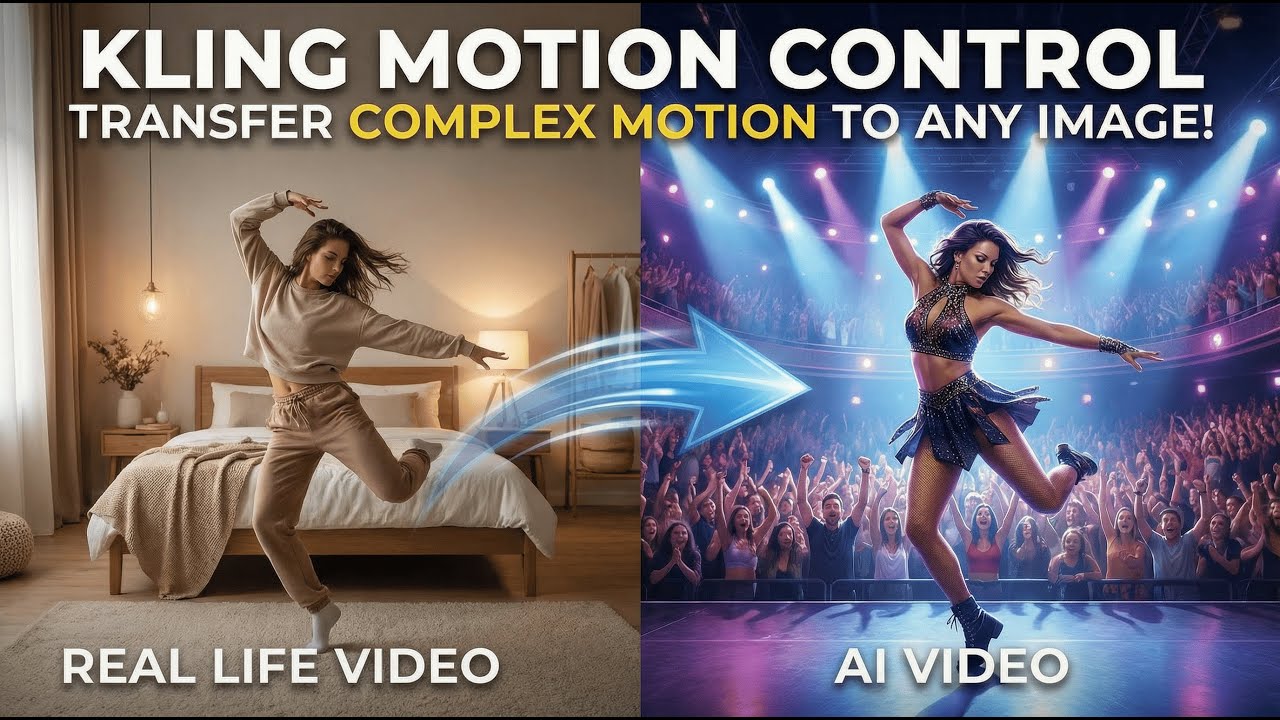
Video content has evolved dramatically over the last decade, but nothing has reshaped it as quickly as artificial intelligence. One of the most exciting innovations in this space is AI motion control videos—videos where artificial intelligence manages, enhances, or entirely creates camera movement, object motion, and cinematic transitions.
AI motion control videos are everywhere today. You see them in cinematic reels, futuristic ads, music videos, social media transitions, and even product demos. These videos look complex and professional, yet many of them are created without expensive motion control rigs or Hollywood-level equipment.
In this in-depth guide, you’ll learn how to create AI motion control videos from scratch, even if you’re a beginner. We’ll cover what AI motion control is, why it’s trending, the tools you need, step-by-step creation methods, optimization tips, and advanced techniques to help your videos stand out.
If you want to create visually stunning videos that feel smooth, cinematic, and high-end—this guide is for you.
What Are AI Motion Control Videos?
AI motion control videos use artificial intelligence to simulate, enhance, or automate camera movement and object motion inside a video. Instead of physically moving a camera using sliders, cranes, or robotic rigs, AI recreates or controls motion digitally.
AI can:
-
Track subjects automatically
-
Create smooth camera pans and zooms
-
Simulate dolly and crane movements
-
Control object motion in 2D or 3D space
-
Generate realistic parallax effects
-
Stabilize shaky footage intelligently
The result is a cinematic motion effect that looks professionally shot—even when the original footage was simple or static.
Why AI Motion Control Videos Are So Popular
1. Cinematic Quality Without Expensive Gear
Traditional motion control requires:
-
Motorized sliders
-
Robotic camera arms
-
Precise programming
-
Large budgets
AI removes these barriers, allowing creators to achieve similar results with software.
2. Perfect for Social Media and Marketing
AI motion control videos are:
-
Visually engaging
-
Smooth and immersive
-
Ideal for Reels, Shorts, and TikTok
They stop the scroll and keep viewers watching.
3. Beginner-Friendly Technology
Modern AI tools are designed for:
-
Non-editors
-
Content creators
-
Small businesses
You don’t need advanced VFX knowledge to get started.
Types of AI Motion Control Videos
Understanding the types of AI motion control helps you decide what style fits your project.
1. AI Camera Movement Videos
AI simulates camera movement such as:
-
Pan
-
Tilt
-
Zoom
-
Dolly-in or dolly-out
-
Orbit shots
These are often used in cinematic reels and product videos.
2. AI Object Motion Videos
AI controls how objects move:
-
Floating products
-
Rotating items
-
Animated text following motion paths
Perfect for ads and explainer videos.
3. AI Parallax Motion Videos
AI separates foreground and background layers to create depth, making still images feel alive.
4. AI Character Motion Control
AI tracks and controls:
-
Human movement
-
Facial expressions
-
Body motion
Used in talking-head videos, avatars, and virtual influencers.
Essential Tools for Creating AI Motion Control Videos
Before starting, you’ll need the right tools. The good news is that many AI tools work on basic hardware.
1. Camera or Footage Source
You can start with:
-
Smartphone videos
-
DSLR or mirrorless cameras
-
Screen recordings
-
Stock footage
-
AI-generated clips
Even still images can be turned into motion videos using AI.
2. AI Motion Control Software
AI motion tools typically include:
-
Subject tracking
-
Depth mapping
-
Motion path generation
-
Camera simulation
These tools handle the technical complexity for you.
3. Video Editing Software
Basic editing is still needed for:
-
Trimming
-
Music syncing
-
Color correction
-
Final export
Many AI tools include built-in editors.
Step 1: Plan Your AI Motion Control Video
Define Your Goal
Ask yourself:
-
Is this for social media?
-
A product ad?
-
A cinematic reel?
-
A brand video?
Your goal determines:
-
Video length
-
Motion style
-
Editing pace
Final Thoughts
AI motion control videos are changing how creators approach filmmaking, marketing, and storytelling. What once required expensive gear and technical expertise can now be achieved with AI-powered tools and creative vision.
To succeed:
-
Start with a clear concept
-
Use clean footage
-
Apply motion subtly
-
Focus on storytelling
-
Optimize for SEO and platforms
Whether you’re a beginner, content creator, or business owner, learning how to create AI motion control videos gives you a powerful skill that’s only growing in demand.
Now is the perfect time to start experimenting, creating, and standing out with AI-powered motion ✨
For more Articls Click Here