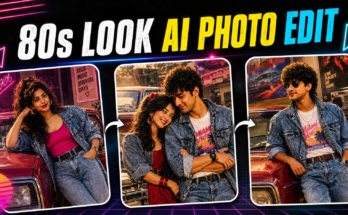
In today’s digital era, a profile picture is more than just a photo—it’s your identity. Whether it’s for social media, LinkedIn, gaming platforms, or online communities, a great profile picture can make you stand out. With the rise of artificial intelligence (AI), creating a professional, artistic, or even futuristic profile picture has never been easier. AI tools can now generate stunning, hyper-realistic avatars that reflect your personality, style, and creativity.
In this detailed guide, we will show you how to create an AI profile picture step-by-step, the best tools you can use, and tips to ensure your image looks professional and unique.
Why AI Profile Pictures Are So Popular
Before jumping into the “how,” let’s first understand the “why.”
-
Uniqueness: AI-generated profile pictures can be fully customized. Instead of using a regular photo, you can create a unique avatar that nobody else has.
-
Creative Freedom: You can choose different art styles—cartoon, anime, realistic, cyberpunk, fantasy, and more.
-
No Need for Professional Photography: High-quality profile pictures traditionally require good cameras, lighting, and editing. AI replaces all that effort with a few clicks.
-
Privacy: If you’re uncomfortable sharing your real photo online, AI avatars allow you to maintain privacy while still having an engaging visual identity.
-
Personal Branding: AI-generated images can be customized to match your brand colors and style.
With these benefits, AI profile pictures have become the go-to choice for content creators, business professionals, gamers, and anyone who wants a standout online presence.
How Do AI Profile Picture Generators Work?
AI profile picture tools use machine learning models—often built on technologies like Stable Diffusion, DALL·E, or Midjourney—to create custom images. These tools analyze millions of reference images to learn facial features, art styles, textures, and lighting effects.
When you upload a photo or enter prompts, the AI interprets your instructions and generates images that match your desired look. Some advanced tools allow:
-
Face swapping and enhancements
-
Changing backgrounds and outfits
-
Converting selfies into artistic avatars
-
Completely generating faces from scratch (no photo needed)
This powerful technology has made professional-grade profile pictures accessible to everyone.
Step-by-Step Guide: How to Create an AI Profile Picture
Here is a complete step-by-step breakdown to create your own AI-generated profile picture:
Step 1: Choose the Right AI Profile Picture Tool
There are dozens of AI tools available, but not all deliver the same quality. Here are some of the best AI profile picture generators in 2025:
-
Lensa AI – Popular for realistic avatars with artistic filters.
-
ProfilePicture.AI – Specializes in profile picture creation with hundreds of unique styles.
-
Fotor – A versatile online editor with AI avatar generation.
-
Artbreeder – Great for creative control over facial features.
-
Canva – Includes AI photo editing and avatar creation.
-
Picsart AI Avatar – Ideal for casual and social media users.
-
Remini – Best for enhancing your existing photos with AI.
Choose a tool that fits your style preferences and budget.
Step 2: Upload Your Photos or Create From Scratch
Most AI generators give you two options:
-
Upload Your Photo: Upload 5–10 selfies in good lighting and different angles. The AI will analyze your facial features to generate avatars.
-
Create Without a Photo: Some tools (like Artbreeder or Midjourney) allow you to describe your desired look using text prompts.
Tips for uploading photos:
-
Use high-quality images (avoid blurry selfies).
-
Include different facial expressions and angles.
-
Remove glasses, hats, or heavy filters for better accuracy.
Step 3: Select Your Art Style
AI profile picture tools offer a wide variety of styles:
-
Realistic Portraits: Perfect for professional or business profiles.
-
Anime or Cartoon: Fun and engaging for social media.
-
Futuristic/Cyberpunk: Trendy and unique for gaming or tech communities.
-
Fantasy Art: Ideal for creators, authors, and artists.
-
Minimalist: Clean and modern designs for professional branding.
Choose a style that reflects your personality and purpose.
Step 4: Customize Your AI Avatar
Most generators allow you to tweak your image:
-
Adjust facial features (eyes, nose, mouth).
-
Change hairstyles, clothing, and accessories.
-
Modify background colors and patterns.
-
Add filters, effects, or brand logos.
If you’re using text-to-image AI tools like Midjourney or Stable Diffusion, you can use detailed prompts to achieve the desired look. Example:
“A realistic portrait of a confident young woman with curly hair, wearing a leather jacket, soft lighting, minimal background – ultra-realistic – 4K quality.”
Step 5: Download in High Resolution
Once you’re satisfied, download your AI profile picture in high resolution (at least 1080×1080 pixels). This ensures it looks sharp across all platforms.
Some premium tools allow you to export in 4K or vector formats, which is great if you’re using it for branding.
Best AI Profile Picture Tools (Detailed Overview)
Let’s look deeper into the best AI tools to create profile pictures:
1. Lensa AI
-
Features: AI avatars, filters, and photo enhancement.
-
Price: Starts at $3.99 for 50 avatars.
-
Best For: Social media and casual users.
2. ProfilePicture.AI
-
Features: 300+ styles, background customization, business-ready options.
-
Price: $14–$19 one-time payment.
-
Best For: Professionals and influencers.
3. Artbreeder
-
Features: Morph and blend facial features for full control.
-
Price: Free plan available, Pro plans start at $8.99/month.
-
Best For: Artists and gamers.
4. Canva
-
Features: AI avatar creation + graphic design tools.
-
Price: Free plan, Pro at $12.99/month.
-
Best For: Small businesses and personal branding.
5. Remini
-
Features: Photo enhancement and realistic portrait generation.
-
Price: $4.99/week (subscription).
-
Best For: Upgrading existing profile pictures.
AI Profile Picture Ideas
Here are some creative ideas for your next AI-generated avatar:
-
Corporate Professional: Sharp suit, neutral background, minimal design.
-
Gamer Tag: Cyberpunk armor, neon effects, bold colors.
-
Artist/Creator: Vibrant colors, abstract backgrounds, brush-stroke style.
-
Fantasy Look: Elf ears, magical aura, medieval clothing.
-
Futuristic AI Persona: Metallic features, holographic background.
-
Casual Social Media: Soft filters, warm lighting, modern streetwear.
Tips for a Great AI Profile Picture
-
Match the platform: Use a formal style for LinkedIn but be more playful for Instagram or TikTok.
-
Consistency: If you use multiple social platforms, keep a consistent style for better personal branding.
-
Pay attention to colors: Choose colors that align with your brand or personality.
-
Avoid over-editing: Too many filters or effects can make the avatar look unrealistic.
AI Profile Pictures and Privacy Concerns
While AI profile pictures are exciting, be aware of privacy issues:
-
Data Usage: Some apps may store your uploaded photos. Always check the privacy policy.
-
Face Recognition Risks: Be cautious with tools that request excessive personal information.
-
Fake Identities: AI can be used to create deceptive accounts, so use responsibly.
Prompt:
Create a cinematic neon-style portrait of a young man resembling the reference image, with clean features, short styled black hair, and a trimmed beard. He is standing in a thoughtful pose with one hand on his chin, eyes closed. A glowing blue neon circle floats behind his head like a halo. The lighting is dramatic and high-contrast, casting soft shadows with rich blue highlights. The background is minimalistic and dark, giving a mysterious and spiritual ambiance. His outfit is a modern button-down shirt, subtly visible under the moody lighting.”
Future of AI Profile Pictures
AI profile picture generators will only get better. In the near future, you can expect:
-
3D avatars for virtual reality platforms.
-
Real-time customization where avatars mimic your expressions.
-
Hyper-realistic images indistinguishable from professional photography.
These innovations will redefine online identity, making it more immersive and customizable.
Conclusion
Creating an AI profile picture is one of the easiest and most creative ways to upgrade your online presence in 2025. With the right AI tool, you can generate unique avatars that capture your personality and style without needing expensive photoshoots.
Quick Recap:
-
Choose a reliable AI generator (like Lensa AI, ProfilePicture.AI, or Canva).
-
Upload quality photos or use text prompts.
-
Select your desired art style.
-
Customize your avatar with backgrounds, colors, and effects.
-
Download in high resolution for the best results.
Whether you’re a professional looking to enhance your LinkedIn profile, a gamer wanting a futuristic avatar, or a creator who needs a strong brand identity, AI profile pictures are the perfect solution.
Now it’s your turn—pick a tool, experiment with different styles, and design a profile picture that truly represents YOU.
For more Information Click Here