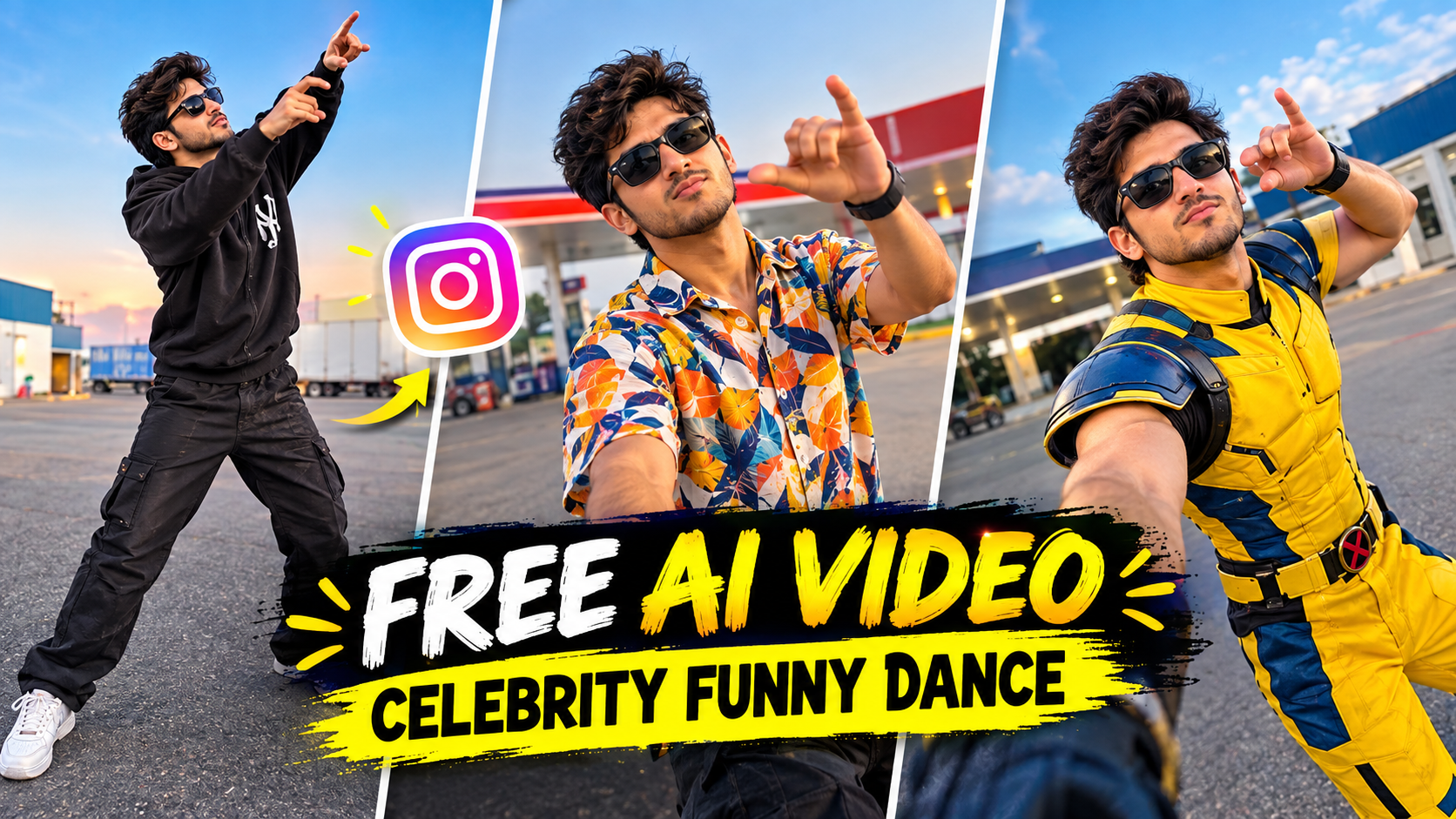
AI video technology has made it easier than ever to turn simple photos and creative ideas into entertaining videos. One trend that continues to attract attention on TikTok, Instagram Reels, YouTube Shorts, and other social platforms is the AI funny dance video.
With the right AI tools, you can take a photo of a person, pet, cartoon character, or fictional character and transform it into an entertaining dance scene. You can add funny movements, unusual backgrounds, exaggerated expressions, creative costumes, and music to make the final video more engaging.
The best part is that you do not need professional cameras or advanced animation skills. A good reference image, a well-written AI prompt, and a simple editing workflow can be enough to get started.
In this guide, you will learn how to create AI funny dance videos step by step, how to write effective prompts, how to create realistic or humorous movements, how to edit the final clip, and how to prepare your video for short-form social media platforms.
Note: If you use a real person’s photo, make sure you have permission to use it. Avoid creating misleading or harmful content involving real people.
What Is an AI Funny Dance Video?
An AI funny dance video is a short video created or enhanced with artificial intelligence where a person, character, animal, or avatar performs a humorous dance.
Instead of recording someone actually dancing, AI can generate or animate movement from an image.
For example, you can create a video of:
- A fictional character doing a funny dance
- A pet performing a dance
- A cartoon character dancing
- An AI-generated person dancing
- A person performing an exaggerated dance
- A character dancing in a strange environment
- Multiple AI characters dancing together
The comedy usually comes from the combination of unexpected movement, expressions, music, costumes, and situations.
Why Are AI Funny Dance Videos Popular?
Short videos are designed to communicate an idea quickly.
Funny dance videos naturally work well because viewers can understand the concept almost immediately.
AI makes the format even more creative because you can create situations that would be difficult or expensive to film in real life.
For example, you could create a fictional character dancing inside a futuristic city or make an animated animal perform a humorous dance routine.
Some factors that can make an AI funny dance video entertaining include:
- Unexpected movement
- Funny facial expressions
- Creative characters
- Fast editing
- Catchy audio
- Interesting environments
- Visual surprises
- Beat-synchronized cuts
However, no AI video is guaranteed to go viral. Performance depends on many factors, including the idea, audience, timing, editing, platform distribution, and viewer response.
What You Need to Make an AI Funny Dance Video
You can create an AI dance video using a simple workflow.
1. A Photo or AI Character
Start with a clear image.
You can use:
- Your own photo
- A fictional character
- An AI-generated character
- An animal photo
- A cartoon-style character
2. AI Image or Video Tool
An AI tool can help generate your character, environment, or animation.
3. Video Editing App
Use an editor to combine clips, add music, captions, transitions, and sound effects.
4. Music or Sound
Choose suitable audio from a source where you have the necessary rights or permission.
Step 1: Choose Your Funny Dance Idea
Before opening an AI tool, decide what your video will be about.
A simple concept is often easier to turn into a good short video.
Here are some ideas:
Funny Office Dance
A fictional office worker suddenly starts dancing during a boring workday.
Funny Animal Dance
An animated or AI-generated animal performs an exaggerated dance.
Grandma-Style Funny Dance
Create a fictional older character performing a playful dance.
Superhero Dance
A fictional superhero performs an unexpected dance instead of fighting.
Robot Dance
A futuristic robot attempts a humorous human-style dance.
Character Transformation
Start with a normal character and transform them into a funny dancing performer.
The key is the contrast between what the viewer expects and what actually happens.
Step 2: Create Your Character
If you do not already have a suitable image, create one using an AI image generator.
For example:
Create a fictional cheerful character wearing colorful casual clothes, standing in a bright urban environment, playful facial expression, expressive pose, detailed clothing, realistic lighting, full-body composition, clean background, highly detailed, vertical 9:16 composition.
For a funny video, consider giving the character a distinctive visual feature.
For example:
- Oversized sunglasses
- Colorful clothing
- Funny hat
- Unusual hairstyle
- Bright sneakers
- Cartoon-inspired outfit
These details can make the character easier to recognize.
Step 3: Write an AI Dance Prompt
The prompt controls how the AI interprets the movement.
Instead of simply writing “make this person dance,” describe the type of movement you want.
Try:
Animate this fictional character performing a playful and humorous dance. Use exaggerated but natural movements, funny hand gestures, energetic footwork, expressive facial reactions and lighthearted body movement. Keep the character's face, clothing and appearance consistent. Smooth animation, realistic motion, entertaining social-media video style, vertical 9:16.
This gives the AI more information about the intended mood.
Step 4: Make the Dance Funny
Comedy is usually more effective when the movement feels unexpected.
You can experiment with:
- Exaggerated arm movements
- Quick turns
- Playful footwork
- Funny poses
- Small jumps
- Slow-motion reactions
- Dramatic freezes
- Unexpected transitions
Avoid asking the AI for extremely complicated choreography if the tool struggles with body movement.
Simple movement often produces cleaner results.
Funny Dance Prompt
Create a humorous dance animation featuring a fictional character performing an exaggerated but playful dance. Add funny hand gestures, energetic side-to-side movement, expressive facial reactions, playful footwork and a short dramatic pose at the end. Keep the character's identity and clothing consistent. Smooth natural animation, comedic timing, cinematic lighting, vertical 9:16.
Step 5: Create Different Dance Clips
Instead of generating one long video, create several short clips.
For example:
Clip 1: Character looks at the camera.
Clip 2: Character starts dancing.
Clip 3: Funny hand movement.
Clip 4: Fast dance movement.
Clip 5: Unexpected pose.
Clip 6: Final funny expression.
You can combine the clips during editing.
This also allows you to remove sections that contain AI animation problems.
Step 6: Add Funny Backgrounds
The background can make the video even more entertaining.
Try unusual environments such as:
- Supermarket
- Office
- Classroom
- Space station
- Beach
- Football stadium
- City street
- Restaurant
- Elevator
- Fictional concert stage
For example:
A fictional character performing a hilarious dance inside a colorful supermarket aisle, surprised shoppers in the background, playful atmosphere, cinematic lighting, exaggerated comedic situation, realistic environment, vertical 9:16 composition.
For safety and privacy, fictional environments are generally preferable to depicting identifiable real people without permission.
Step 7: Animate an Animal
Animal dance videos can create a completely different style.
You could use a fictional or appropriately sourced image of a:
- Dog
- Cat
- Panda
- Monkey
- Penguin
- Bear
- Rabbit
Example prompt:
Create a playful animated dance featuring a cute fictional cartoon-style dog performing a funny dance routine. Exaggerated but smooth movements, playful facial expression, energetic poses, colorful environment, humorous social-media style, consistent character design, vertical 9:16.
If you’re using a real pet’s photograph, make sure the image is yours or you have permission to use it.
Step 8: Add Music
Music is an important part of dance content.
Choose audio that matches the movement and mood.
You can use:
- Platform music libraries
- Licensed tracks
- Royalty-cleared music
- Original music
- Audio you have permission to use
Try to synchronize important movements with the beat.
For example, a character could turn when the beat changes or freeze for a moment when the music pauses.
Step 9: Edit the Video
Once you have generated your clips, open them in your preferred video editor.
A basic workflow is:
- Import your AI clips.
- Select the cleanest versions.
- Place the strongest clip at the beginning.
- Add your chosen audio.
- Cut clips according to the rhythm.
- Add simple transitions.
- Add captions if needed.
- Add appropriate sound effects.
- Adjust brightness and contrast if necessary.
- Watch the complete video.
- Remove unnecessary sections.
- Export the final version.
Step 10: Add Funny Sound Effects
Sound effects can improve comedic timing.
Depending on the scene, you might use:
- Pop sounds
- Cartoon-style reactions
- Whoosh effects
- Record scratches
- Crowd reactions
- Drum hits
- Comedic pauses
Do not add too many sounds. The main music and visual action should remain easy to follow.
Step 11: Create a Strong Hook
The first few seconds should communicate the idea quickly.
Instead of starting with a long introduction, start with the funniest or most surprising moment.
For example:
Hook 1: Character suddenly starts dancing.
Hook 2: Normal image instantly transforms into a dancing character.
Hook 3: Character makes a funny expression before the beat begins.
Hook 4: Unexpected character appears in an unusual location.
A strong visual hook can encourage viewers to continue watching.
Step 12: Use the Correct Format
For TikTok, Instagram Reels, and YouTube Shorts, vertical video is generally the most suitable format.
A common setup is:
- Aspect ratio: 9:16
- Resolution: 1080 × 1920
- Orientation: Vertical
When generating images, leave enough space around the character so important movements do not get cropped.
You can also leave some empty space for captions.
Best AI Funny Dance Video Prompt
Here is a Prompt:
Recreate the uploaded reference video EXACTLY, shot for shot, as a new photorealistic vertical 9:16 video.
MOTION LOCK (from reference video):
Copy every movement from the reference video exactly — the same dance steps, arm and body movements, hand gestures, walking path, timing and rhythm. Copy the exact camera path: same handheld shake, same pans, same whip-pans, same 180° selfie rotations, same framing and cut points. Do not add, remove or change any movement. Use the reference video ONLY for motion, camera and timing — do NOT copy any face, clothing or texture from it.
CHARACTER REPLACEMENT (from reference images):
– Reference image 1 = THE DANCER. Replace the dancing man in the video with this person. He appears ONLY in the opening dance, performing the exact same dance moves. He never holds the phone and never appears in any selfie shot.
– Reference image 2 = THE CAMERA OPERATOR. He holds the phone for the entire video. Every time the camera turns around into selfie view (the first selfie turn AND the final selfie), the face shown MUST be this person, with the same expressions and movements as in the video.
– Reference image 3 = THE PASSENGER. Replace the man who steps out of the parked car with this person. He gets out and walks toward the camera exactly as in the video, and stands in the background during the final selfie. He never holds the phone.
AI Funny Dance Video Ideas
Once you understand the basic workflow, you can experiment with different concepts.
AI Grandparent Dance
Create a fictional older character performing a playful dance.
AI Robot Dance
Make a futuristic robot attempt a human dance.
AI Pet Dance
Animate a fictional or appropriately sourced pet image.
AI Superhero Dance
Create a fictional superhero performing a humorous routine.
AI Office Dance
Turn a boring office environment into a funny dance scene.
AI School Dance
Create a fictional classroom or school environment with characters performing a playful routine.
AI Celebrity-Parody Style
Instead of copying a real person’s identity, create an original fictional performer inspired by a broad genre or era.
Common Problems With AI Dance Videos
AI animation can sometimes produce strange results.
You might notice:
Distorted Hands
Hands can become unnatural during fast movements.
Changing Faces
The character may look different between clips.
Extra Limbs
Complex movements can occasionally create visual artifacts.
Clothing Changes
The outfit may change unexpectedly.
Unnatural Legs
Fast dance movements can sometimes cause body distortion.
To reduce these problems, use shorter clips, simpler movements and consistent reference images.
Generate multiple versions and select the cleanest result.
How to Make Your AI Dance Video More Original
There are millions of short videos online, so simply copying an existing trend may not give your content a distinct identity.
Try combining familiar concepts with your own idea.
For example:
Funny Dance + Office
Funny Dance + Robot
Funny Dance + Retro Setting
Funny Dance + Cartoon Character
Funny Dance + Futuristic City
You can also develop a recurring fictional character that appears in multiple videos.
This can help create a recognizable series.
Final Thoughts
Creating an AI funny dance video can be a simple and creative way to experiment with AI-generated content. You can start with a single image, transform it into an animated dance clip, add music and sound effects, and then edit several short scenes into a complete social-media video.
The key is not simply asking an AI tool to “make a dance.” Give it a clear character, movement style, environment, camera direction and mood.
Start with simple movements and short clips. Once you understand how your chosen AI tool handles animation, experiment with unusual locations, funny characters, transformations and different camera angles.
Most importantly, focus on creating something original and entertaining rather than relying entirely on the word “viral.” Trends can provide inspiration, but your own creative idea is what can make an AI dance video memorable.
For More Click Here