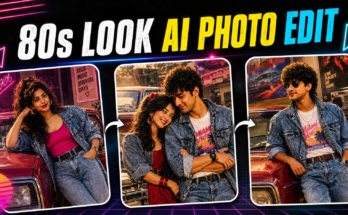
In the age of digital transformation, Ai Baby Photos artificial intelligence has revolutionized how we interact with our memories and visuals. One of the most viral trends in 2025 is converting your personal photos into adorable AI-generated baby photos. Whether you’re curious to see what you would’ve looked like as a baby, want to surprise a friend with a funny transformation, or create viral social content, this AI baby photo trend is taking over the internet.
From TikTok to Instagram to AI art platforms, people everywhere are using powerful AI tools to recreate childhood moments in ultra-realistic or stylized ways. If you’ve ever wondered how to transform your selfie into an AI baby photo, this complete guide will show you how—step by step.
In this in-depth tutorial, you’ll learn:
-
What AI baby photo generators are
-
Why AI baby transformations are trending in 2025
-
The best tools and apps to convert your photo to an AI baby
-
A full walkthrough on how to do it (with free & paid options)
-
Tips for getting the best results
-
Creative and viral ideas to use your AI baby photo
-
FAQs, monetization ideas, and more
Let’s take a journey back to babyhood—with AI 👶✨
👶 What Are AI Baby Photos?
AI baby photos are digitally generated or transformed images that recreate a photo (usually of an adult) into what they might look like as a baby. The results are often hyper-realistic, cartoonish, anime-style, or Pixar-inspired, depending on the tool used.
These babyfied photos:
-
Reimagine facial features in baby form
-
Preserve elements like hairstyle, skin tone, and expression
-
Often add baby clothing, plush toys, or nursery backgrounds
It’s both a fun nostalgia trip and a creative AI art experiment that’s gone viral.
📈 Why AI Baby Photo Conversions Are Trending in 2025
The AI baby trend became massively popular thanks to platforms like TikTok, Reels, and AI art groups on Facebook and Reddit. Here’s why it’s catching fire:
1. Social Media Gold
AI baby photo videos and comparisons (before vs. after) get tons of engagement. They’re funny, wholesome, and weirdly accurate.
2. Nostalgia with a Tech Twist
People love looking at old baby pictures. Now, AI gives us a way to “recreate” them even if we don’t have the originals.
3. Shareable & Personal
These images feel personal, making them perfect for birthdays, baby announcements, or surprise edits for friends.
4. AI Tools Are Better Than Ever
In 2025, tools like FacePlay, Remini Baby AI, and ToonMe AI offer realistic and creative options at the tap of a button.
🛠️ Best AI Tools to Turn Your Photos into Baby Photos
Below is a breakdown of the most popular and accurate AI apps and websites for baby photo transformations:
| Tool | Platform | Free/Paid | Key Features |
|---|---|---|---|
| Remini AI (Baby AI filter) | Mobile App | Freemium | Realistic baby face generation |
| FacePlay (Baby Me Template) | Mobile App | Freemium | Animated baby videos & photos |
| ToonMe | Web & App | Paid | Cartoon-style baby effects |
| AI Time Machine by MyHeritage | Web | Freemium | Historical and baby look filters |
| Picsart AI | Mobile/Web | Freemium | Custom babyface filters and edits |
| Fotor AI Avatar | Web/App | Paid | Stylized baby transformations |
| Babyify AI (Baby Face Generator) | Web Tool | Paid | Face morphing and age regression |
We’ll walk through the top tools and how to use them below.
📲 How to Convert Your Photos to AI Baby Photos – Step-by-Step Guide
🧒 Option 1: Use Remini Baby AI Filter (Best for Realism)
Remini is one of the most famous AI photo apps for babyface transformations.
🔹 Steps:
-
Download Remini on Android or iOS.
-
Sign in or create an account.
-
Tap on the “AI Photo Generator” or “Baby AI” section.
-
Upload a clear selfie (front-facing, good lighting).
-
Choose Baby Mode from filter styles.
-
Let AI generate the baby version.
-
Preview and download your result.
✅ Pro Tips:
-
Use high-resolution, neutral-expression selfies.
-
Remove glasses or heavy makeup for best baby results.
🧸 Option 2: Use FacePlay Baby Me Template (Best for Animated Videos)
FacePlay offers dynamic templates that animate baby versions of you.
🔹 Steps:
-
Download FacePlay from your app store.
-
Choose the “Baby Me” template under trending.
-
Upload your selfie or face video.
-
Customize skin tone, eye color, or hairstyle (optional).
-
Generate the video or GIF.
You’ll get a baby animation or image within seconds.
✅ Best For:
-
TikTok edits
-
Couple or friend baby comparisons
-
Meme content
🎨 Option 3: Use ToonMe for Cartoon Baby Photos
Want a Pixar-style baby version of yourself?
🔹 Steps:
-
Visit ToonMe.com or download the app.
-
Choose a baby or cartoon avatar template.
-
Upload your photo.
-
AI transforms it into a cute cartoon baby (some versions auto-detect age style).
-
Download the final artwork.
🧬 Option 4: Use AI Time Machine (for Age Regression)
While not strictly a baby filter, MyHeritage’s AI Time Machine can generate historical and younger versions of you.
🔹 Steps:
-
Upload a series of selfies or portraits.
-
Choose “Young child” or “Baby era” themes.
-
Let the model process (takes 30-60 mins).
-
Download 40+ AI-generated results.
🌟 Option 5: Use Babyify AI Generator (Face Morph)
For an advanced morph from adult to baby:
🔹 Steps:
-
Visit Babyify AI or similar online generator
-
Upload a portrait photo
-
Select Baby Age Regression
-
Adjust settings (morph strength, style)
-
Generate & save your babyfied face
📷 Best Photo Types for AI Baby Transformations
To get the most accurate or adorable baby results, use photos with:
-
Front-facing angle
-
Good lighting (natural or ring light)
-
Minimal filters or makeup
-
No glasses or hats
-
Neutral or smiling expression
Avoid group photos or side profiles, as most AI tools need clear facial landmarks.
✨ Creative & Viral Ways to Use Your AI Baby Photos
Once you’ve created your AI baby masterpiece, don’t just save it—share it in style!
💑 1. Couples Baby Generator
Upload photos of you and your partner and create two baby versions.
Or combine them using baby morph tools to imagine what your child might look like!
😂 2. Meme Content
Create AI babies of your friends, co-workers, or celebrities and caption them with funny scenarios.
🎬 3. Use in Reels or TikTok
Trend: “What if I was still a baby today?”
Use transitions from adult → AI baby → back to adult with emotional or funny music.
🎉 4. Birthday or Event Cards
Use AI baby images in digital birthday invitations, baby showers, or nostalgic collages.
🔥 How to Make AI Baby Photos Go Viral
If you want to go beyond laughs and gain traction, follow these proven strategies:
Caption Hooks:
-
“I let AI turn me into a baby and I’m crying 😂”
-
“Here’s what I might’ve looked like as a baby 👶✨”
-
“Would you still be friends with this version of me?”
Posting Times:
-
TikTok & Reels: Evenings (7–10 PM)
-
Facebook & Reddit: Mornings (9–11 AM)
💰 Can You Monetize AI Baby Photo Content?
Yes! Here’s how some creators are turning baby edits into cash:
1. Offer Custom AI Baby Edits
Sell custom edits on Fiverr, Etsy, or Instagram.
2. Grow a Niche Account
Make a page featuring celebrities or influencers as babies. Monetize with ads or collabs.
3. YouTube Shorts or TikTok
Make reaction videos to AI baby filters. Add commentary, comparisons, or humor.
Prompt: “Make the person in this photo look like their childhood version while preserving the background exactly as it is.”
4. Merch & Gifts
Print AI baby images on mugs, shirts, or stickers. Great for birthday or baby shower gifts.
🧩 Final Thoughts: Step Into the Past with AI Baby Photos
Whether you’re chasing nostalgia, experimenting with AI art, or just looking for your next viral TikTok post, AI baby photo transformations are the perfect blend of fun, creativity, and technology. In just a few taps, you can rediscover a version of yourself (or someone else) as a cute, chubby-cheeked AI baby.
With tools like Remini, FacePlay, and ToonMe, anyone can create their digital baby self—no professional editing skills required.
For more Information Click Here