Introduction
AI-generated videos are becoming one of the most creative forms of content on social media. Every week, creators discover new visual trends that combine artificial intelligence with satisfying animations, cinematic effects, and imaginative scenes. One of the most interesting concepts is the AI sugar video, where ordinary objects, characters, or scenes are transformed into visually appealing sugar-inspired creations.
The concept can be used to create colorful candy-like environments, transparent sugar sculptures, melting sweets, crystal desserts, sugar-coated objects, and satisfying transformation videos. With the right AI prompts and editing techniques, creators can turn a simple idea into a short cinematic video designed for TikTok, Instagram Reels, YouTube Shorts, Facebook Reels, and other social platforms.
The best part is that you don’t need professional filmmaking equipment. AI image generators can help you create the initial visual, while AI video generators can animate it. A mobile video editor can then be used to add music, sound effects, text, transitions, and final adjustments.
In this guide, you will learn how to create AI sugar videos step by step, including how to choose an idea, write effective prompts, generate sugar-themed images, animate them, create satisfying transformations, add sound effects, edit the final video, and optimize it for social media.
What Are AI Sugar Videos?
AI sugar videos are short AI-generated or AI-assisted videos built around the visual appearance, texture, or transformation of sugar, candy, sweets, crystals, and dessert-like materials.
For example, you could create a video showing:
- A normal flower turning into a sugar sculpture
- A house made entirely from candy
- A person surrounded by colorful sugar crystals
- A fruit covered in sparkling sugar
- A chocolate object transforming into transparent candy
- A sugar castle appearing from a pile of crystals
- A regular object melting into colorful candy
- A miniature world made from sweets
The possibilities are almost unlimited because AI allows you to combine ordinary subjects with imaginary materials.
Why Are AI Sugar Videos Trending?
AI sugar videos work particularly well because they combine visual curiosity and satisfying transformations.
Viewers immediately want to know what will happen next when they see something ordinary begin changing into an unusual sugar-based object.
Several characteristics make these videos attractive:
Satisfying Transformations
Watching one object smoothly transform into another can be highly engaging.
Bright Visuals
Sugar and candy concepts naturally allow colorful, glossy, and reflective visuals.
Cinematic Effects
AI can create dramatic lighting, macro shots, slow-motion sequences, and detailed textures.
Short-Form Friendly
The concept can be explained visually without requiring a long narration.
Easy to Customize
You can create sugar versions of almost anything.
What Do You Need to Make an AI Sugar Video?
A basic workflow requires only a few things:
- An AI image generator
- An AI video generator
- A video editing application
- A creative idea
- AI prompts
- Music or sound effects
You can complete the workflow on either a smartphone or computer, depending on the AI tools you choose.
You don’t need expensive cameras, lighting equipment, or a professional studio.
Step 1: Choose Your AI Sugar Video Idea
The first step is deciding exactly what you want to create.
Don’t begin by randomly generating images. Start with a simple concept.
For example:
Idea: A red rose transforms into a transparent sugar sculpture.
Your video could follow this sequence:
- A realistic rose appears.
- Sugar crystals begin forming around the petals.
- The petals become glossy and transparent.
- The entire rose transforms into a sugar sculpture.
- Light shines through the crystal-like petals.
- The camera moves closer for a satisfying final shot.
This creates a clear beginning, transformation, and ending.
Step 2: Choose the Right Visual Style
AI sugar videos can be created in many different styles.
Realistic Sugar Style
The object looks like it was actually made from sugar.
This is ideal for satisfying and food-style content.
Crystal Sugar Style
The subject appears transparent, glossy, and crystal-like.
This style works particularly well with macro shots.
Candy Style
Use bright colors and playful shapes for a more cartoon-like appearance.
Cinematic Style
Use dramatic lighting, shallow depth of field, and realistic textures.
Fantasy Style
Create magical sugar worlds with floating crystals, glowing particles, and unusual landscapes.
For social media, cinematic and realistic styles are often effective because they make the AI creation look more believable.
Step 3: Create Your First AI Image
Before generating the video, create a high-quality starting image.
A detailed prompt might look like this:
Create a hyper-realistic macro photograph of a beautiful red rose made entirely from transparent sugar crystals, delicate glossy petals, realistic sugar texture, sparkling highlights, tiny crystal particles, dramatic studio lighting, shallow depth of field, premium food photography, ultra-detailed, cinematic composition, vertical 9:16.
This gives the AI information about the subject, material, lighting, camera style, and composition.
Step 4: Create a Sugar Transformation Prompt
The transformation is the most important part of the video.
Try a prompt like:
A realistic red rose slowly transforming into a transparent sugar crystal sculpture, sugar crystals forming naturally across the petals, glossy surface, sparkling particles, realistic physical movement, macro cinematography, dramatic lighting, smooth transformation, satisfying visual effect, vertical 9:16.
The important words are:
- Slowly transforming
- Naturally forming
- Smooth movement
- Realistic physical movement
- Macro cinematography
- Glossy surface
- Sparkling particles
These details help communicate the visual direction.
Step 5: Create a Sugar House
Another popular concept is a miniature house made entirely from sweets.
AI Image Prompt
A beautiful miniature house made entirely from colorful sugar and candy, glossy sugar walls, transparent candy windows, crystal roof, tiny sugar flowers, magical dessert landscape, cinematic lighting, highly detailed textures, realistic miniature photography, shallow depth of field, vertical 9:16.
You can then animate the camera slowly moving toward the house.
Step 6: Create a Sugar Fruit Video
Fruit provides an excellent subject because viewers already understand its shape.
Try:
A realistic fresh strawberry gradually transforming into a glossy transparent sugar sculpture, sparkling sugar crystals forming over the surface, detailed seeds, colorful reflections, macro photography, cinematic studio lighting, smooth satisfying transformation, ultra-realistic, vertical 9:16.
You can repeat the concept with:
- Apples
- Oranges
- Grapes
- Watermelon
- Mangoes
- Cherries
- Lemons
Step 7: Turn the Image Into a Video
Once your starting image is ready, use an AI video generator that supports image-to-video generation.
Upload the image and describe the movement.
For example:
Slow cinematic camera push toward the sugar sculpture, tiny sugar crystals forming and sparkling naturally, subtle rotation, realistic reflections, gentle floating particles, smooth macro camera movement, shallow depth of field.
Avoid requesting too many complex movements at once.
Simple animation instructions can produce more controlled results.
Step 8: Create the Transformation in Multiple Clips
Instead of trying to create a 30-second video in one generation, create several short clips.
For example:
Clip 1 – Original Object
Show a normal rose.
Clip 2 – Beginning of Transformation
Small sugar crystals begin appearing.
Clip 3 – Major Transformation
The petals become transparent and glossy.
Clip 4 – Final Sugar Object
The entire rose is now made of sugar.
Clip 5 – Cinematic Close-Up
Show the finished sculpture.
You can combine these clips later in your editor.
This approach gives you much more control over pacing.
Step 9: Add Macro Camera Effects
Macro cinematography is perfect for sugar videos because it allows viewers to see tiny textures.
Use:
- Extreme close-ups
- Slow camera pushes
- Shallow depth of field
- Focus pulls
- Slow rotations
- Light reflections
For example, a close-up of a sugar crystal catching a light source can make the video feel much more realistic.
Step 10: Add Satisfying Sound Effects
Sound design is extremely important for this type of content.
Visuals alone may look good, but carefully selected audio can make the transformation more immersive.
Consider adding:
- Crystal sounds
- Glass-like chimes
- Soft crunches
- Sugar pouring sounds
- Sparkling effects
- Whoosh sounds
- Low cinematic impacts
- Ambient background sounds
Use sound effects at the exact moment a visual transformation occurs.
For example, when a sugar crystal appears, add a subtle sparkle or chime.
Step 11: Add Background Music
Choose music according to the mood.
For relaxing sugar videos, try:
- Soft ambient music
- Calm piano
- Dreamy electronic music
For dramatic transformations:
- Cinematic music
- Rising orchestral sounds
- Dramatic percussion
For playful candy videos:
- Upbeat music
- Light electronic beats
- Fun instrumental tracks
Make sure you have the appropriate rights to use any music you publish.
Step 12: Add Text to Your Video
Text should be short.
For example:
“What if everything was made of sugar?”
Then:
“Watch until the end…”
During the transformation:
“The transformation begins…”
Finally:
“Would you eat this?”
A simple question at the end can encourage comments.
Step 13: Create a Viral Hook
Your first two seconds matter.
Instead of starting with an explanation, immediately show something unusual.
Hook Ideas
“What if a rose was made from sugar?”
“Wait for the final transformation…”
“This isn’t glass… it’s sugar.”
“AI just turned candy into art.”
“Would you touch this sugar sculpture?”
A good hook creates curiosity without giving away everything.
Best AI Sugar Video Prompts
Sugar Apple
A hyper-realistic red apple made entirely from transparent sugar crystals, glossy surface, delicate crystalline texture, sparkling highlights, dramatic studio lighting, macro photography, realistic reflections, ultra-detailed, cinematic vertical video composition.
Sugar Butterfly
A beautiful butterfly made entirely from colorful transparent sugar crystals, delicate wings, sparkling edges, tiny sugar particles floating around, magical cinematic lighting, macro photography, realistic texture, elegant slow-motion atmosphere.
Sugar Flower Garden
A magical garden filled with flowers made entirely from colorful sugar crystals, glossy petals, sparkling sunlight, transparent leaves, tiny sugar particles, dreamy cinematic environment, highly detailed macro photography, vertical 9:16.
Sugar Car
A futuristic sports car made entirely from transparent colorful sugar crystals, glossy candy-like body, dramatic reflections, neon lights, cinematic studio environment, ultra-realistic details, premium automotive photography, vertical composition.
Sugar Castle
A magnificent fantasy castle built entirely from sugar crystals and colorful candy, transparent towers, sparkling walls, magical particles, dramatic sunset lighting, cinematic fantasy environment, ultra-detailed, realistic textures, vertical 9:16.
How to Create a Sugar Melting Effect
Melting scenes can be especially satisfying.
Start with a solid sugar object.
Then generate a video showing the object slowly melting.
Prompt
A beautiful transparent sugar sculpture slowly melting under warm studio lighting, glossy sugar surface becoming liquid, tiny droplets falling naturally, realistic fluid movement, macro cinematography, dramatic reflections, slow motion, highly detailed cinematic scene.
The most important part is making the movement gradual.
A sudden transformation can look less realistic.
How to Create Sugar Explosion Videos
You can also create a dramatic transformation where an object breaks into thousands of sugar crystals.
Prompt
A glossy sugar sculpture suddenly breaking apart into thousands of sparkling sugar crystals, crystals flying through the air in slow motion, dramatic cinematic lighting, detailed reflections, macro camera, dark background, realistic physics, high-speed photography, vertical 9:16.
Use a dramatic impact sound at the exact moment the sculpture breaks apart.
How to Make AI Sugar Videos More Realistic
AI-generated materials can sometimes look artificial.
To improve realism, describe physical properties.
Use words such as:
- Transparent
- Glossy
- Crystalline
- Reflective
- Translucent
- Detailed texture
- Natural reflections
- Macro photography
- Studio lighting
- Shallow depth of field
You can also describe how light interacts with the material.
For example:
“Light passes through the transparent sugar petals and creates subtle reflections.”
This gives the model more visual information.
Keep Your AI Video Consistent
Consistency is one of the biggest challenges in AI video generation.
If you’re creating multiple clips featuring the same object, keep the description consistent.
For example, always describe the object as:
“A transparent ruby-red sugar apple with glossy crystalline skin.”
Don’t suddenly describe it as a blue candy apple in the next scene.
If your AI platform supports reference images, use the same reference throughout the project.
How to Edit AI Sugar Videos on Mobile
Once you’ve generated your clips, open your preferred mobile editing application.
Create a vertical project.
Import all clips.
Arrange them in chronological order.
Then:
- Trim unnecessary sections.
- Add transitions.
- Add text.
- Add sound effects.
- Add music.
- Adjust brightness and contrast.
- Apply consistent color grading.
- Add subtle zoom effects.
- Review the complete video.
- Export at high quality.
Don’t overload the project with filters.
The AI-generated textures should remain the main attraction.
Best Video Structure for Social Media
A 20–30 second video can follow this format:
0–2 seconds: Strong visual hook
2–6 seconds: Show the original object
6–12 seconds: Begin the transformation
12–18 seconds: Major sugar transformation
18–23 seconds: Cinematic close-up
23–27 seconds: Final reveal
27–30 seconds: Question or call-to-action
This structure gives viewers a reason to continue watching.
Prompt:
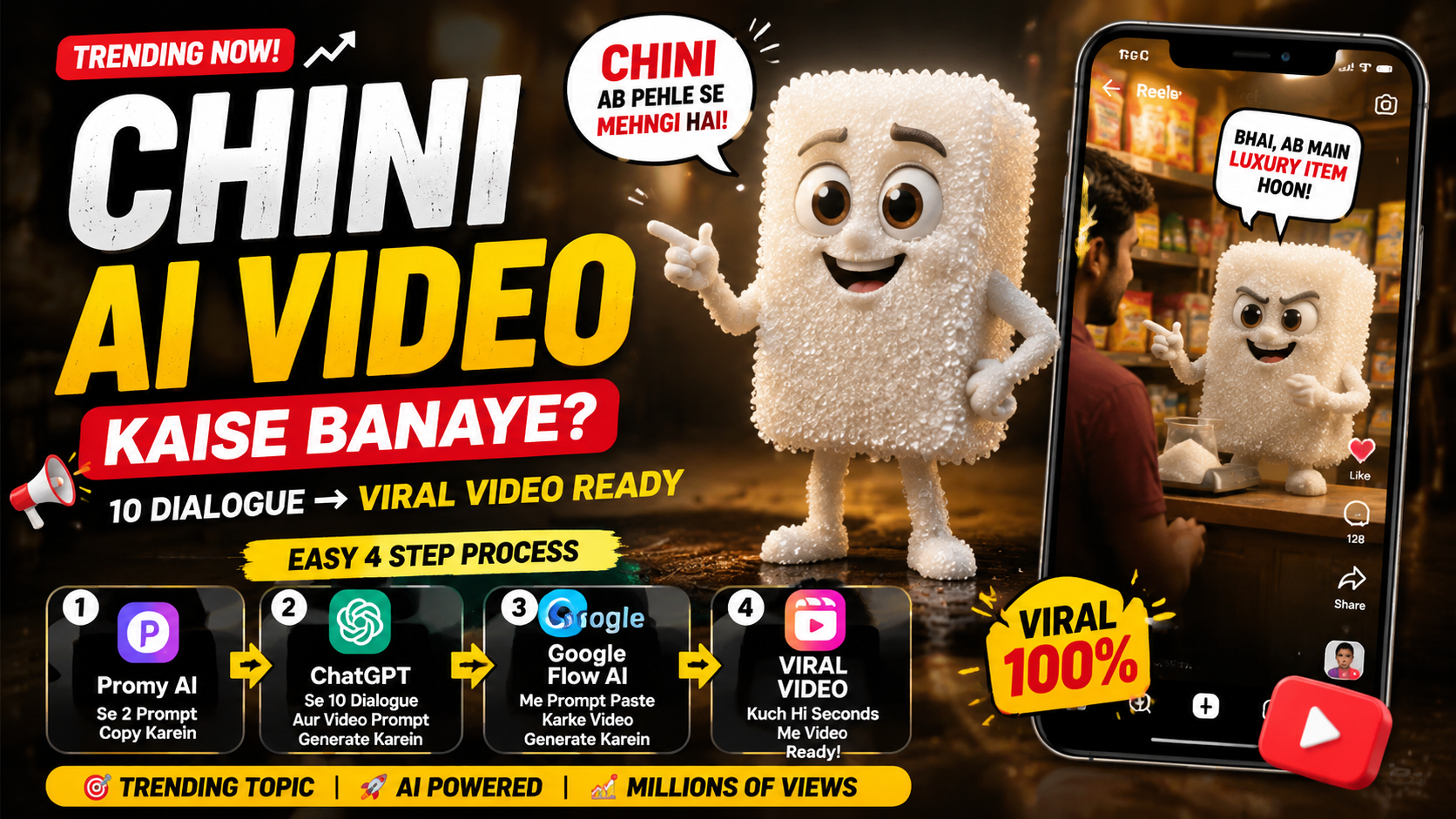
Shot 1: The Heartbreak & Rejection (00:00 – 00:10)
-
Prompt: A 10-second continuous 3D animated cinematic shot in Pixar style. In a dusty, sunlit traditional Indian village marketplace, an arrogant female character made of glossy brown jaggery (Gud) wearing a brown dress angrily pushes away and mocks a heartbroken male character made of white sugar cubes (Cheeni) with Hindi text “चीनी” on his chest. She speaks angrily in Urdu: “Tum mere muqable mein nahi ho! Main 50 rupay kilo aur tum 30 rupay kilo! Ja, main tum jaise gareeb se pyar nahi karungi!” The sugar character weeps hysterically, drops to his knees in despair, and reaches out as she walks away. Background filled with curious villagers watching. Warm daylight, detailed textures, 8k resolution, fluid dynamic character movement.
-
Camera & Transition: Starts with an eye-level medium shot, slowly pulling back into a wide shot as he falls to his knees. Smooth fade transition to the next scene.
Shot 2: The Intense Gym Transformation (00:10 – 00:20)
-
Prompt: A 10-second fast-paced montage continuous shot in a gritty, vintage bodybuilding gym. The white sugar cube character undergoes a massive transformation, growing extremely buff and muscular with “चीनी” printed on his chest. He executes heavy deadlifts, lat pulldowns, and incline barbell bench presses with intense anger and grit, steam rising from his body and tears still in his eyes. He grunts and roars in Urdu while lifting: “Main dikhaunga ke main kya hoon!” Ends with him jumping and stomping the ground, flexing his massive double biceps and roaring in triumph. Gritty indoor lighting with sunbeams filtering through dusty windows, high-contrast shadows, dynamic muscle movement, 3D animated style.
-
Camera & Transition: Low-angle dynamic tracking camera moving with the weight lifting action, enhancing scale and muscularity. Hard cut transition to the final scene.
Shot 3: The Triumphant Return & Shock (00:20 – 00:30)
-
Prompt: A 10-second cinematic finale shot in a bright, sunny Indian village street. The ultra-muscular, bodybuilder sugar character makes a triumphant entry, swaggering confidently through the village wearing a white traditional dhoti, showing off his chest. Shocked villagers line the street. Camera pans to the female jaggery character, now dressed in an elegant golden saree, staring at him in absolute shock and mouth-wide-open astonishment. She gasps and speaks in Urdu with sweat dripping from her forehead: “Yeh to Cheeni hai?! Yeh to 75 rupay kilo ho gaya!” Vibrant color palette, rich depth of field, expressive facial animations, epic Bollywood hero entry style, 3D render.
-
Camera & Transition: Low-angle backward tracking shot following his confident walk, panning smoothly to a close-up reaction shot of her shocked expression. Focus slowly fades out at the end.
Ideas for More AI Sugar Videos
Once you understand the basic process, you can create dozens of variations.
Try:
- Sugar animals
- Sugar flowers
- Sugar buildings
- Sugar phones
- Sugar watches
- Sugar shoes
- Sugar cars
- Sugar planets
- Sugar trees
- Sugar food
- Sugar robots
- Sugar toys
- Sugar characters
- Sugar landscapes
You can even create an entire fictional world made from sugar.
How to Create a Sugar World
Imagine a miniature world where everything is made from candy and sugar.
Then create separate clips showing different parts of the world.
This can become a longer series rather than a single video.
Common Mistakes to Avoid
Using Vague Prompts
“Make a sugar video” doesn’t provide enough information.
Describe the object, material, lighting, camera, and movement.
Making Videos Too Long
Short-form content generally benefits from quick pacing.
Using Random Styles
Keep the visual style consistent between scenes.
Overusing Transitions
Simple cuts and subtle transitions often look better.
Ignoring Audio
Sound effects can dramatically improve satisfying transformation videos.
Generating Everything in One Clip
Create multiple short clips and combine them during editing.
How to Optimize Your AI Sugar Video for SEO
If you’re publishing your tutorial on a website, use your target keyword naturally.
Your focus keyword can appear in:
- H1 title
- First paragraph
- One or two H2 headings
- Meta description
- Image ALT text
- URL
- Conclusion
Related keywords can be included naturally throughout the article.
Suggested Keywords
- How to Create AI Sugar Videos
- AI sugar video generator
- AI sugar transformation
- AI candy video
- AI satisfying videos
- AI video editing
- AI image to video
- AI-generated sugar art
- AI cinematic videos
- trending AI videos
Avoid repeating the same phrase unnaturally.
Final Thoughts
Learning how to create AI sugar videos is a great way to experiment with AI-generated visual content. The concept is simple, but it provides almost unlimited creative possibilities.
You can start with something as ordinary as a flower, fruit, car, building, or toy and transform it into a glossy sugar sculpture. With AI image generation, you can create the initial design. AI video tools can then animate the transformation, while a video editor can add music, sound effects, captions, transitions, and cinematic finishing touches.
The key is to focus on the visual details.
Describe the texture.
Describe how the light reflects from the sugar.
Describe the camera movement.
Describe how the object transforms.
Instead of asking AI to create everything at once, break your idea into several scenes. This gives you more control and makes it easier to replace a weak clip without rebuilding the entire video.
You should also experiment with different styles. A realistic sugar sculpture can look completely different from a colorful candy world or a fantasy sugar castle.
Most importantly, make your videos original. AI trends move quickly, and copying another creator’s exact concept won’t give your content a unique identity. Use the trend as inspiration, then add your own objects, stories, colors, camera movements, and editing style.
With the right prompts and a little experimentation, you can turn almost any object into a visually satisfying AI sugar creation.
So choose your first subject, write a detailed prompt, generate your starting image, animate the transformation, add cinematic sound design, and create your own trending AI sugar video for social media.
For More Click Here
