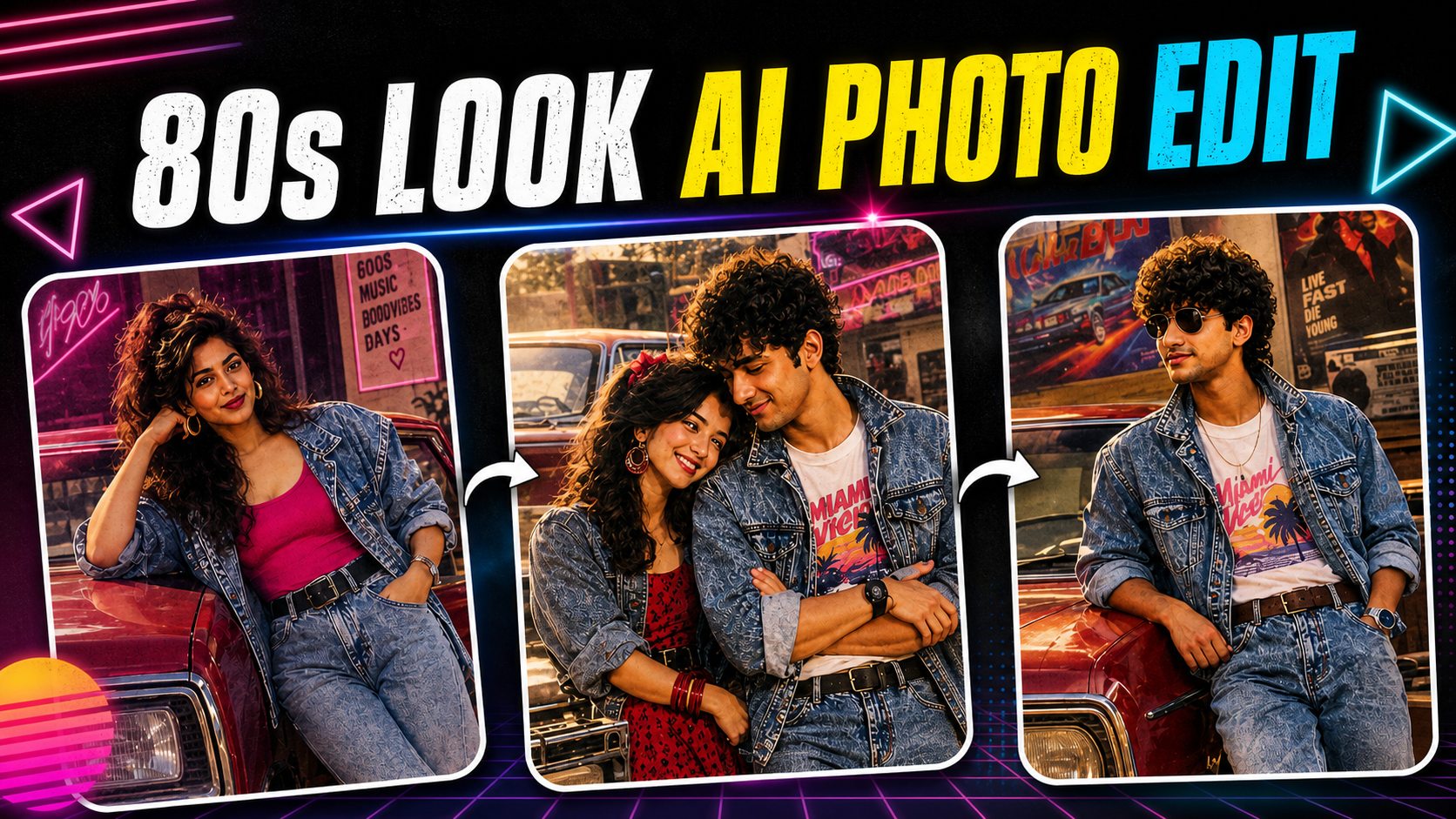
The 80s aesthetic is trending again, and artificial intelligence has made it easier than ever to recreate the iconic look of the decade. From retro hairstyles and vintage clothing to neon lights, classic cars, cassette players, old televisions, and colorful backgrounds, AI can transform an ordinary photograph into a stylish 1980s-inspired image.
One of the most popular versions of this trend is the AI 80s lock photo. These images combine a nostalgic 1980s visual style with modern smartphone lock-screen designs. The result is a unique wallpaper or portrait that looks like it came straight from an old magazine, music poster, arcade, or vintage photo studio.
You don’t need professional photography equipment or advanced Photoshop skills to create one. With the right AI image generator, a good reference photo, and a detailed prompt, you can create a realistic 80s-style image in just a few minutes.
In this guide, you’ll learn how to create trending AI 80s lock photos, how to write effective prompts, which visual elements to include, how to create different retro styles, and how to turn your final image into a perfect smartphone lock-screen wallpaper.
What Are AI 80s Lock Photos?
AI 80s lock photos are AI-generated or AI-edited images designed around the visual style of the 1980s and formatted for use as a phone lock screen.
The concept combines two popular trends:
- 80s retro photography
- Personalized AI lock-screen wallpapers
A typical AI 80s lock photo might show a person wearing vintage clothing, standing under neon lights, beside a classic car, inside an old arcade, or in a retro bedroom.
The image can include details such as:
- Neon colors
- Vintage clothing
- Retro hairstyles
- VHS-style grain
- Film photography
- Old cameras
- Cassette tapes
- Classic cars
- Arcade machines
- Neon signs
- Sunset backgrounds
- Vintage city streets
- Retro typography
- Analog lighting
- 1980s-inspired decorations
The AI creates these elements based on the instructions you provide.
Why Are AI 80s Photos Trending?
Nostalgia is one of the biggest reasons behind the popularity of retro AI images.
The 1980s had a distinctive visual identity. Bright colors, dramatic lighting, bold fashion, music culture, arcade games, movies, and analog photography all contributed to an aesthetic that remains recognizable today.
Social media creators are now using AI to recreate that aesthetic without needing vintage equipment.
AI makes it possible to create a photo that looks like it was captured decades ago while still maintaining modern image quality.
The trend is especially useful for:
- Instagram posts
- TikTok content
- Facebook profile pictures
- WhatsApp wallpapers
- Smartphone lock screens
- Pinterest posts
- YouTube thumbnails
- Retro-themed websites
- Personal digital artwork
What Makes an 80s AI Photo Look Authentic?
Simply telling an AI generator to “make an 80s photo” may not produce the best result.
A convincing image needs several visual elements associated with the decade.
1. Retro Clothing
Fashion is one of the easiest ways to establish an 80s atmosphere.
You can request:
- Denim jackets
- Leather jackets
- Vintage shirts
- Oversized sweaters
- Colorful tracksuits
- High-waisted jeans
- Classic sneakers
- Retro sunglasses
The clothing should match the rest of the scene.
2. Vintage Hairstyle
Hair can dramatically change the appearance of a portrait.
Depending on your preferred style, you can ask the AI for:
- Big textured hair
- Retro curls
- Classic side-part hairstyles
- Voluminous hairstyles
- Vintage layered cuts
For the most realistic results, describe the hairstyle rather than simply writing “old hairstyle.”
3. Neon Lighting
Neon lighting is one of the most recognizable elements of the 80s aesthetic.
Try combinations such as:
- Pink neon
- Blue neon
- Purple lighting
- Green signs
- Colorful reflections
Neon lights can make the image feel like a retro nightclub, arcade, city street, or music video.
How to Create Trending AI 80s Lock Photos
Creating an AI 80s lock photo is relatively simple.
Step 1: Choose a Good Reference Photo
If your AI tool supports image uploads, begin with a clear photograph.
For a portrait, choose an image where:
- Your face is clearly visible
- The image isn’t heavily blurred
- Lighting is reasonable
- Your head isn’t cut off
- The subject is facing the camera or slightly sideways
A high-quality source image usually gives the AI more useful information.
Step 2: Choose Your 80s Concept
Before generating the image, decide what kind of 80s scene you want.
For example:
Retro Street
Imagine yourself walking through an 80s city street at night surrounded by neon signs.
Arcade
Create a portrait inside a classic arcade filled with vintage gaming machines.
Classic Car
Place the subject beside a stylish vintage car under colorful neon lighting.
Music Studio
Create an old-school music studio with cassette players, microphones, speakers, and analog equipment.
Bedroom
Create a nostalgic bedroom featuring an old television, cassette player, posters, and retro furniture.
Choosing a specific concept helps the AI create a more coherent image.
Step 3: Write a Detailed AI Prompt
Your prompt should describe the subject, environment, clothing, lighting, camera style, and overall mood.
For example:
Create a realistic 1980s-inspired portrait of a young person standing beside a classic car at night, wearing a vintage denim jacket and retro sunglasses, neon pink and blue lights reflecting on the street, authentic 1980s city atmosphere, analog film grain, realistic skin texture, cinematic photography, nostalgic mood, vertical smartphone wallpaper composition.
This gives the AI enough information to understand the desired aesthetic.
Best AI 80s Lock Photo Prompt
Here’s a more detailed prompt you can experiment with:
Create an ultra-realistic 1980s-inspired portrait designed as a smartphone lock-screen wallpaper. The subject is wearing authentic retro 80s clothing, standing on a neon-lit city street beside a classic vintage car. Add colorful neon signs, subtle film grain, analog photography characteristics, realistic skin texture, soft cinematic lighting, nostalgic atmosphere, detailed background, natural facial expression, realistic shadows, vertical composition with clean space around the upper portion for the phone clock and lock-screen interface, high resolution.
The final instruction about empty space is particularly useful for lock-screen images because modern phones place the time and notifications near the top of the screen.
AI 80s Lock Screen Prompt for a Male Portrait
Create a realistic 1980s-style portrait of a young man wearing a vintage denim jacket, classic sneakers and retro sunglasses, standing beside a black classic car under neon street lights. Add a colorful city background, subtle VHS texture, analog film grain, authentic 1980s fashion, cinematic lighting and realistic facial details. Create a vertical smartphone lock-screen composition with the subject positioned slightly below the top area, leaving clean space for the phone clock.
AI 80s Lock Screen Prompt for a Female Portrait
Create a cinematic 1980s-inspired portrait of a young woman wearing elegant vintage 80s fashion, standing beneath colorful neon lights in a retro city environment. Add authentic vintage styling, soft film grain, analog photography texture, realistic skin details, cinematic shadows and a nostalgic atmosphere. Format the composition vertically for a smartphone lock screen and leave clean space near the upper portion for the clock.
Create an AI 80s Arcade Photo
Arcades are perfect for this trend because gaming culture was strongly associated with the 1980s.
Try this prompt:
Create a realistic cinematic portrait inside a classic 1980s arcade filled with vintage arcade machines, colorful neon lights and glowing screens. The subject is wearing authentic retro clothing and standing naturally in the center of the arcade. Add realistic reflections, analog film grain, subtle VHS texture, dramatic lighting, nostalgic atmosphere and detailed facial features. Vertical smartphone lock-screen composition, high resolution.
This style works especially well for gamers and people who enjoy retro technology.
Create an AI 80s Classic Car Photo
Classic cars can instantly establish a retro atmosphere.
Use a prompt like:
Create an ultra-realistic 1980s cinematic photograph of a person leaning against a classic vintage car at night. The street is illuminated by pink, blue and purple neon lights. Add wet pavement reflections, retro clothing, analog film grain, authentic 1980s atmosphere, realistic shadows and professional photography. Vertical smartphone wallpaper composition with empty space at the top for the lock-screen clock.
Create a Vintage 80s Bedroom Photo
For something more nostalgic, try a bedroom scene.
Create a realistic 1980s teenage bedroom with vintage posters, cassette tapes, an old television, classic stereo system, retro furniture and warm colorful lighting. Place the subject naturally inside the room wearing authentic 80s clothing. Add subtle analog film grain, realistic textures, nostalgic photography and cinematic lighting. Create a vertical smartphone lock-screen composition.
How to Make Your AI Image Look Like an Old Photograph
If you want the image to look genuinely vintage rather than simply modern with retro clothing, add photography characteristics.
Use terms such as:
- 35mm film photography
- Analog film
- Vintage camera
- Film grain
- Slight color fading
- Natural film texture
- Soft highlights
- Authentic photographic imperfections
- Retro flash photography
- Vintage lens characteristics
However, don’t add too many effects.
A good retro image should still look natural.
Prompt:
Add VHS Effects Carefully
VHS is another recognizable visual style associated with the 80s.
You can ask AI for:
- Subtle VHS texture
- Analog noise
- Slight scan lines
- Vintage video appearance
- Soft chromatic aberration
- Slightly faded colors
Avoid excessive distortion if you want a realistic photograph.
Too much VHS distortion can make the face and clothing look unnatural.
How to Create an 80s Lock Photo for iPhone
Modern smartphone wallpapers are generally vertical, so your AI image should be generated in a vertical composition whenever possible.
When writing your prompt, include:
“vertical smartphone wallpaper”
or
“portrait orientation designed for a phone lock screen.”
You should also tell the AI to leave some empty space around the top of the image.
Why?
Because the phone’s clock and notifications may cover important parts of the image.
For example:
Keep the upper section of the image relatively clean so the smartphone lock-screen clock remains readable.
This small instruction can significantly improve the final wallpaper.
How to Create an 80s Lock Photo Without Losing Facial Details
One common problem with AI-generated portraits is that the face can become inconsistent.
To improve facial quality:
- Use a clear reference image.
- Avoid extreme face angles.
- Don’t overload the prompt with unnecessary details.
- Ask for realistic facial proportions.
- Request natural skin texture.
- Use “photorealistic portrait” when appropriate.
You can also generate multiple versions and select the most natural result.
Experiment With Different 80s Themes
One of the best things about AI is that you aren’t limited to one style.
Try creating several versions.
Neon City
A futuristic-looking 1980s city with colorful signs and nighttime lighting.
Retro Beach
A sunny beach scene with vintage clothing, classic cars and analog photography.
80s Music Studio
A recording room filled with microphones, cassette equipment and speakers.
Retro School
A nostalgic school hallway featuring vintage lockers and clothing.
Video Store
A classic 80s video rental store filled with VHS tapes.
Retro Diner
A colorful diner with classic furniture, neon signs and vintage decorations.
Each concept can produce a completely different lock-screen wallpaper.
Tips for Making Your AI 80s Photo More Realistic
The biggest mistake beginners make is adding too many visual effects.
Instead, focus on realism.
Use Natural Lighting
Ask for realistic shadows and reflections.
Keep the Background Consistent
All objects should belong to the same environment.
Avoid Excessive Text
AI-generated text can sometimes look distorted.
Use Specific Clothing
Instead of saying “old clothes,” describe the exact style.
Describe the Camera
Terms like “35mm film photography” can help create an authentic photographic appearance.
How to Turn the Image Into a Lock Screen
Once your AI image is generated, you can use a photo editor to prepare it for your phone.
You may want to:
- Crop the image vertically.
- Position the subject correctly.
- Keep the top area clear.
- Adjust brightness.
- Improve contrast.
- Add subtle grain.
- Export in high quality.
- Set it as your smartphone wallpaper.
The exact dimensions depend on your phone model, so check the device’s recommended wallpaper resolution.
AI 80s Photos for Social Media
You don’t have to use these images only as wallpapers.
They can also be used for:
- Instagram profile pictures
- Facebook posts
- TikTok videos
- YouTube thumbnails
- Pinterest graphics
- WhatsApp status
- Retro-themed blog posts
For social media, consider creating several variations with different poses and backgrounds.
Final Thoughts
The AI 80s lock photo trend combines nostalgia with modern artificial intelligence, giving creators an easy way to produce unique retro artwork. You don’t need an old camera, vintage clothing collection, or complicated editing software to recreate the visual atmosphere of the 1980s.
The most important part is your prompt. Instead of simply asking an AI tool to create an “80s photo,” describe the entire scene. Mention the clothing, hairstyle, lighting, environment, camera style and mood. If you’re creating a lock-screen wallpaper, also tell the AI to use a vertical composition and leave space for the clock.
Experiment with different concepts such as neon city streets, classic cars, arcades, music studios, bedrooms and retro diners. Generate several versions, choose your favorite, and make small adjustments before using it as your wallpaper or sharing it on social media.
For More Click Here