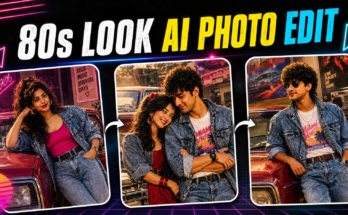
The 80s look is making a major comeback on social media, and artificial intelligence has made it easier than ever to recreate the nostalgic style of this iconic decade. From vintage clothing and classic hairstyles to neon lights, VHS effects, retro cars, old-school music, and cinematic film grain, AI can transform ordinary footage into an eye-catching 1980s-inspired video.
If you have recently seen videos on TikTok, Instagram Reels, YouTube Shorts, or Facebook featuring people transformed into an old-school 80s character, you may have wondered how these videos are created. The good news is that you don’t need expensive cameras or professional video-editing skills.
With modern AI video generators and editing apps, you can create an AI 80s look video using a photo, an existing video, or even a simple text prompt.
In this guide, we will explain how to create AI 80s look videos step by step, including how to choose your footage, create an effective AI prompt, add retro effects, use music, improve video quality, and optimize the final video for social media.
What Is an AI 80s Look Video?
An AI 80s look video is a modern video transformed using artificial intelligence and editing effects to make it look inspired by the 1980s.
Instead of recording everything with an old camera, creators use AI to reproduce the visual characteristics of that era.
A typical AI 80s video may include:
- Vintage clothing
- Retro hairstyles
- Neon lights
- VHS effects
- Film grain
- Old-school cars
- Arcade machines
- Cassette players
- Retro city streets
- Analog camera effects
- Colorful lighting
- 1980s-inspired backgrounds
- Slow-motion scenes
- Vintage typography
- Retro music
The final result can look like an old music video, movie scene, television recording, or home-video clip from the 1980s.
Why Are AI 80s Look Videos Trending?
The popularity of AI retro videos is closely connected to nostalgia.
The 1980s had a unique visual identity that is still instantly recognizable. Bright neon colors, analog technology, bold fashion, arcade culture, classic cars, and distinctive music make the decade particularly suitable for creative video content.
AI makes it possible to recreate these elements without needing authentic vintage equipment.
Creators can take a modern portrait or video and turn it into something completely different.
AI 80s videos are particularly popular for:
- TikTok
- Instagram Reels
- YouTube Shorts
- Facebook Reels
- WhatsApp Status
- Personal projects
- Music videos
- Retro-themed advertisements
The trend also gives creators an opportunity to experiment with different decades, characters, environments, and cinematic styles.
What Do You Need to Create an AI 80s Video?
You don’t need expensive equipment.
A basic setup can include:
1. A Smartphone
A modern smartphone is enough to record your original footage.
2. An AI Image or Video Tool
An AI generator can transform your photo or video into a retro-inspired scene.
3. A Video Editor
An editing application can be used to combine clips, add music, transitions, text, and additional effects.
4. A Good Prompt
Your prompt tells the AI what type of 80s environment and appearance you want.
5. Original Footage or Photo
You can start with a selfie, portrait, short video, or another suitable image.
Step 1: Choose Your 80s Video Concept
Before opening an AI tool, decide what your video should look like.
This is important because a clear concept makes it easier to write a good prompt.
Here are some popular ideas.
80s Street Style
Imagine yourself walking through a city street at night with neon signs, classic cars, vintage stores, and colorful lights.
80s Music Video
Create a cinematic music-video scene with stage lights, retro clothing, dramatic camera movement, and analog film effects.
80s Arcade
Place the subject inside a classic arcade surrounded by vintage gaming machines and colorful lights.
80s Beach
Create a sunny retro beach scene featuring vintage clothing, classic cars, sunglasses, and film photography.
80s Action Movie
Create a dramatic cinematic scene inspired by the visual language of classic action movies, featuring a vintage car, nighttime lighting, smoke, and dramatic camera angles.
80s Home Video
For a more authentic nostalgic effect, create footage that resembles a family VHS recording.
Step 2: Record or Select Your Video
If you want to transform an existing video, select a short clip with clear movement.
For the best AI results:
- Keep the subject clearly visible.
- Use good lighting.
- Avoid extremely fast movement.
- Avoid excessive camera shake.
- Keep the background relatively simple.
- Use a high-resolution video.
- Make sure the subject isn’t frequently blocked.
Short clips are often easier to process and edit.
A clip between several seconds and around 10–15 seconds can work well for short-form social media content, depending on the AI tool you are using.
Step 3: Choose an AI Video Generator
There are several categories of AI tools you can use.
Some tools are designed to transform existing videos, while others generate new video clips from text or images.
When selecting a tool, consider:
- Image-to-video support
- Text-to-video support
- Video-to-video features
- Output resolution
- Generation speed
- Available free credits
- Watermarks
- Commercial-use restrictions
- Editing controls
Always check the current terms of the service before using AI-generated footage commercially.
Step 4: Upload Your Photo or Video
If your chosen AI tool supports image-to-video or video transformation, upload your source file.
For a photo-to-video workflow, use a clear portrait.
For a video-to-video workflow, upload a short clip containing the movement you want to preserve.
The AI may then allow you to describe the transformation using a text prompt.
Step 5: Write a Detailed 80s AI Prompt
The prompt is one of the most important parts of the process.
Instead of writing:
Make this an 80s video.
Use a detailed description.
For example:
Transform this scene into a cinematic 1980s-inspired video. Keep the subject’s appearance recognizable and natural. Add authentic retro 80s clothing, neon city lights, a classic car in the background, analog film grain, subtle VHS texture, realistic shadows, colorful reflections, vintage camera characteristics, nostalgic atmosphere, smooth cinematic movement and realistic facial details.
This tells the AI exactly what you want.
Best AI 80s Look Video Prompt
Here is a longer prompt you can experiment with:
Create a realistic cinematic 1980s-inspired video featuring the same subject. Preserve the subject’s natural appearance and facial identity. Dress the subject in authentic retro 80s fashion and place them on a neon-lit city street at night. Add classic cars, glowing signs, colorful reflections, subtle VHS texture, analog film grain, realistic shadows, vintage camera characteristics, soft highlights and a nostalgic atmosphere. Use smooth natural movement, realistic facial expressions and cinematic camera motion. The result should look like a professionally filmed 1980s music video while maintaining realistic details.
AI 80s Music Video Prompt
If you want a music-video aesthetic, try:
Create a cinematic 1980s music video featuring the subject wearing stylish vintage clothing under dramatic neon lighting. Add a retro stage environment, colorful lights, subtle haze, analog film grain, realistic camera movement, vintage lens characteristics and nostalgic VHS texture. Use dramatic but natural expressions and smooth movement. Make the scene feel like an authentic professionally filmed 1980s music video.
AI 80s Arcade Prompt
For a gaming-inspired video:
Transform the scene into a realistic 1980s arcade. Place the subject inside a colorful retro arcade surrounded by classic arcade machines, glowing screens and neon lights. Add authentic vintage clothing, analog film grain, subtle VHS texture, realistic reflections and cinematic lighting. Preserve the subject’s natural appearance and create smooth realistic movement.
AI 80s Classic Car Prompt
Classic cars work extremely well with the retro aesthetic.
Create a cinematic 1980s night scene featuring the subject beside a classic vintage car. Add neon signs, wet pavement, colorful reflections, retro clothing, analog film grain, subtle VHS texture and dramatic cinematic lighting. Use realistic movement and authentic vintage photography characteristics.
AI 80s Home Video Prompt
For a nostalgic family-video appearance:
Transform this video into an authentic 1980s home-video recording. Add subtle VHS noise, analog color characteristics, soft image quality, slight camera imperfections, realistic indoor lighting and vintage clothing. Keep the subject natural and recognizable. Make the footage feel like a genuine family recording from the 1980s.
Step 6: Generate Multiple Versions
Don’t stop after your first AI generation.
Create several versions with different:
- Backgrounds
- Camera angles
- Clothing
- Lighting
- Colors
- Locations
- Camera movements
- Retro effects
AI generation can produce different results even when you use similar prompts.
Choose the version with the most natural movement and realistic appearance.
Step 7: Add 80s Visual Effects
After generating your video, you can enhance it with a video editor.
Some useful effects include:
VHS Noise
Adds an old analog recording appearance.
Film Grain
Creates a classic film texture.
Scan Lines
Can make the video look like an old television recording.
Light Leaks
Creates a vintage-camera effect.
Chromatic Aberration
A subtle color separation effect can make footage feel more analog.
Retro Color Grading
Adjust the colors to create a nostalgic atmosphere.
Use these effects carefully. Too many effects can make your video look artificial.
Step 8: Add Retro Music
Music can completely change the atmosphere of an AI 80s video.
Depending on your concept, consider music with:
- Synthesizers
- Electronic drums
- Retro bass
- Analog keyboards
- Vintage-inspired melodies
- Slow cinematic sounds
If you’re publishing the video publicly, use music you have permission to use. Copyrighted music can result in muted audio, content claims, or other restrictions on some platforms.
Step 9: Add Retro Text
Typography is another way to strengthen the 80s aesthetic.
You can use:
- Bold fonts
- Neon-style text
- Chrome effects
- Glowing letters
- Retro title animations
- VHS-style timestamps
For example, you could display:
“BACK TO THE 80s”
or
“RETRO NIGHT”
Keep text readable and don’t cover the subject’s face.
Step 10: Create a Strong Opening
The first few seconds are important for short-form videos.
Instead of starting with a long introduction, begin with your strongest visual.
For example:
Modern photo → AI transformation → Full 80s scene
This immediately shows viewers what the video is about.
Another approach is:
Normal video → flash transition → 80s version
This creates a noticeable before-and-after effect.
Before-and-After AI 80s Transformation
One of the best formats for this trend is a transformation video.
Start with your original modern image or video.
Then add a quick transition.
After the transition, reveal the AI-generated 80s version.
You can add text such as:
“What if I lived in the 80s?”
This type of concept creates curiosity and encourages viewers to watch until the transformation is revealed.
How to Make the Video More Cinematic
A cinematic look doesn’t come from one filter.
It comes from combining several elements.
Try using:
- Controlled lighting
- Slow camera movement
- Depth of field
- Realistic shadows
- Film grain
- Balanced colors
- Natural facial expressions
- Appropriate background details
Don’t overload the scene.
A simple, realistic environment can often look more professional than a background filled with random objects.
How to Avoid Common AI Video Problems
AI-generated videos can sometimes contain visual errors.
Common problems include:
- Changing facial features
- Distorted hands
- Unnatural walking
- Flickering objects
- Changing clothing
- Inconsistent backgrounds
- Strange text
- Unnatural eye movement
To reduce these issues, use clear source material and straightforward prompts.
Instead of asking for dozens of changes at once, focus on the most important characteristics.
Keep the Subject Consistent
Consistency is especially important when making multiple clips.
If your AI tool supports reference images, use the same reference image across generations.
Describe the subject consistently.
For example:
Keep the same person, facial features, hairstyle and overall appearance throughout the video.
This can help reduce unwanted changes.
How to Create AI 80s Videos for TikTok
TikTok is ideal for short retro transformations.
A simple structure is:
0–2 seconds
Show the original photo or video.
2–4 seconds
Use a flash or transition.
4–10 seconds
Reveal the AI 80s transformation.
Final seconds
Add your title or call-to-action.
Use vertical video for a full-screen mobile experience.
How to Create AI 80s Videos for Instagram Reels
For Instagram Reels, focus on visual quality.
Use:
- Vertical composition
- Strong opening
- Short scenes
- Smooth transitions
- Clear subject
- Appropriate music
- Minimal text
A dramatic neon city scene can work particularly well for a Reel because it immediately communicates the retro theme.
How to Create AI 80s Videos for YouTube Shorts
YouTube Shorts also works well with transformation content.
Potential titles include:
I Turned Myself Into an 80s Character With AI
or
AI Turned My Modern Video Into the 1980s
or
How I Created This 80s AI Video
Use a thumbnail or opening frame that clearly shows the transformation.
Prompt:
Best AI 80s Video Ideas
If you want to create multiple videos, try these concepts:
- Turn yourself into an 80s movie character.
- Transform a modern street into an 80s city.
- Create an AI retro music video.
- Turn a selfie into a vintage video.
- Create an 80s arcade scene.
- Create a classic-car cinematic video.
- Make an AI 80s school video.
- Create a retro beach scene.
- Create an 80s dance video.
- Transform a modern room into an 80s bedroom.
- Create an old-school television commercial.
- Make an 80s-style travel video.
- Create a vintage sports video.
- Turn a modern fashion video into an 80s fashion clip.
- Create a retro detective-style scene.
How to Improve AI 80s Video Quality
For better results, follow these simple recommendations:
Use High-Quality Source Material
Low-resolution images can produce poor results.
Keep Prompts Specific
Describe the environment, clothing, lighting and camera style.
Generate Several Versions
Choose the most realistic output.
Avoid Excessive Effects
Subtle effects often look more authentic.
Use Appropriate Music
Retro-inspired music helps establish the decade.
Edit the Final Video
AI generation is only one part of the workflow. Editing can significantly improve the final result.
Can You Create AI 80s Videos for Free?
Yes, depending on the tool and its current free plan.
Many AI platforms offer limited free credits or trial generations. However, free plans may include restrictions such as:
- Watermarks
- Lower resolution
- Limited generations
- Slower processing
- Shorter video duration
- Limited commercial rights
Before publishing monetized content, check the current licensing terms of the tool you’re using.
Are AI 80s Videos Copyrighted?
The answer depends on how the video is created and which assets you use.
AI-generated content can involve different legal and licensing considerations depending on the country and platform.
Be particularly careful with:
- Copyrighted music
- Movie footage
- Celebrity likenesses
- Trademarked logos
- Copyrighted characters
- Commercial assets
For safer content, use your own footage and properly licensed music and assets.
How to Make Your AI 80s Video Unique
Thousands of creators may use similar AI prompts, so adding your own creative idea can make your video more interesting.
Try combining multiple elements.
For example:
80s fashion + classic car + neon city + rainy street + VHS texture
Or:
80s arcade + cinematic camera + retro music + transformation effect
The goal isn’t simply to copy an existing trend. Use the trend as inspiration and create your own visual concept.
Final Thoughts
Creating AI 80s look videos is a fun way to combine modern artificial intelligence with the nostalgic visual style of the 1980s. You can transform a simple photo or video into a retro music-video scene, neon city adventure, arcade experience, classic-car sequence, or vintage home recording.
The most important factor is your creative direction. Start with a clear concept, use a high-quality source image or video, and write a detailed prompt describing the exact look you want. After generating the footage, use video editing to add subtle VHS effects, film grain, transitions, text, and suitable music.
Don’t be afraid to experiment. Try different locations, clothing styles, lighting setups, camera movements, and retro effects until you find a combination that feels original.
The best AI 80s videos aren’t necessarily the ones with the most effects. They are the ones that create a convincing atmosphere while keeping the subject recognizable and the story easy to understand.
Whether you’re creating content for TikTok, Instagram Reels, YouTube Shorts, Facebook, or simply making a personal retro video, AI gives you an accessible way to explore the aesthetics of another era.
So choose your favorite 80s concept, write your prompt, generate several versions, edit the best clip, and create your own trending AI 80s look video.
For More Click Here